


- Học kỳ
- SU2026
- Thời Gian
- 8/8/26
- Loại tài liệu
- PE
PRN222 SU26 PE RE NO4
Hướng dẫn bài kiểm tra thực hành lập trình PRN222
Tài liệu cung cấp đề thi thực hành PRN222 gồm hai phần chính là xây dựng ứng dụng console .NET 8 kết nối TCP tới MovieServer và phát triển ứng dụng web quản lý yêu cầu bảo trì ký túc xá. Nội dung chi tiết tập trung vào việc thiết kế trang danh sách yêu cầu bảo trì trên nền tảng ASP.NET Core với các tính năng như hiển thị bảng dữ liệu, bộ lọc trạng thái, tìm kiếm từ khóa và chức năng xóa. Sinh viên cần tuân thủ nghiêm ngặt các quy định về định dạng, mã định danh HTML và cấu trúc cơ sở dữ liệu đã cho để hoàn thành bài thi.PRN222 SU26 PE RE NO4
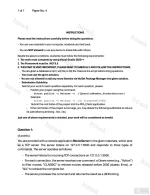
INSTRUCTIONS
Please read the instructions carefully before doing the questions.
- You can use materials in your computer, notebook and text book.
- You are NOT allowed to use any device to share data with others.
Beside the above conditions, students must follow the following requirements:
1. The work must complete by using Visual Studio 2022++
2. The Framework must be .NET 8.0
3. THIS PART IS VERY IMPORTANT, PLEASE READ IT CAREFULLY AND FOLLOW THE INSTRUCTIONS.
- You are given a database script (.sql file) in Zip file. Execute the script before doing questions.
- You must use the given solution.
- You are not allowed to add any more libraries via NuGet Package Manager into given solution.
- Submission Guideline:
Submit your work for each question separately. For each question, please:
- Publish your project using the command:
dotnet publish -c Release -o ./[QuestionNumber_StudentAccount]
Example:
dotnet publish -c Release -o ./Q1_trungnthe123432
- Submit the root folder of the project into the PEA_Client application.
- If the root folder of the project is too large, you may delete the following subfolders to reduce its size before submitting: /bin, /obj
Just one of above requirements is violated, your work will be considered as invalid.
Question 1:
(4 points)
You are provided with a console application MovieServer in the given materials, which acts as a TCP server. The server listens on 127.0.0.1:5500 and responds to three types of commands. The server operates as follows:
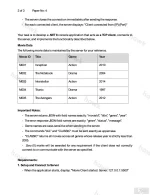
- The server listens for incoming TCP connections on 127.0.0.1:5500.
- For each connection, the server receives one command: a Genre name (e.g., "Action") to filter movies, "CLASSIC" to retrieve movies released before 2005 (classic films), or "ALL" to retrieve the complete list.
- The server processes the command and returns the result as a JSON string.
- The server closes the connection immediately after sending the response.
- For each connected client, the server displays: "Client connected from {IP}:{Port}"
Your task is to develop a .NET 8 console application that acts as a TCP client, connects to the server, and implements the functionality described below.
Movie Data
The following movie data is maintained by the server for your reference.
Movie ID | Title | Genre | Year
M001 | Inception | Action | 2010
M002 | The Notebook | Drama | 2004
M003 | Interstellar | Action | 2014
M004 | Titanic | Drama | 1997
M005 | The Avengers | Action | 2012
Important Notes:
- The server returns JSON with field names exactly: "movieId", "title", "genre", "year".
- The error response JSON field names are exactly: "genre", "status", "message".
- Genre names are case-sensitive when sending to the server.
- The commands "ALL" and "CLASSIC" must be sent exactly as uppercase.
- "CLASSIC" returns all movies across all genres whose release year is strictly less than 2005.
- Zero (0) marks will be awarded for any requirement if the client does not correctly connect to or communicate with the server as specified.
Requirements:
1. Setup and Connect to Server
- When the application starts, display: "Movie Client started. Server: 127.0.0.1:5500"
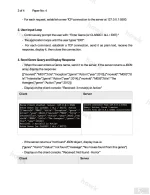
- For each request, establish a new TCP connection to the server at 127.0.0.1:5500.
2. User Input Loop
- Continuously prompt the user with: "Enter Genre (or CLASSIC / ALL / EXIT):"
- The application loops until the user types "EXIT".
- For each command, establish a TCP connection, send it as plain text, receive the response, display it, then close the connection.
3. Send Genre Query and Display Response
- When the user enters a Genre name, send it to the server. If the server returns a JSON array, display the response:
[{"movieId":"M001","title":"Inception","genre":"Action","year":2010},{"movieId":"M003","title":"Interstellar","genre":"Action","year":2014},{"movieId":"M005","title":"The Avengers","genre":"Action","year":2012}]
- Display on the client console: "Received: 3 movie(s) in Action"
- If the server returns a "not found" JSON object, display it as-is:
{"genre":"Horror","status":"not found","message":"No movies found from this genre"}
- Display on the client console: "Received: Not found - Horror"
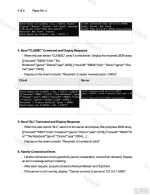
4. Send "CLASSIC" Command and Display Response
- When the user enters "CLASSIC", send it to the server. Display the returned JSON array:
[{"movieId":"M002","title":"The Notebook","genre":"Drama","year":2004},{"movieId":"M004","title":"Titanic","genre":"Drama","year":1997}]
- Display on the client console: "Received: 2 classic movie(s) (year < 2005)"
5. Send "ALL" Command and Display Response
- When the user enters "ALL", send it to the server and display the complete JSON array:
[{"movieId":"M001","title":"Inception","genre":"Action","year":2010},{"movieId":"M002","title":"The Notebook","genre":"Drama","year":2004},...]
- Display on the client console: "Received: 5 movie(s) in total"
6. Handle Connection Errors
- Handle connection errors gracefully (server unavailable, connection refused). Display an error message without crashing.
- After each request, properly close the NetworkStream and TcpClient.
- If the server is not running, display: "Cannot connect to server at 127.0.0.1:5500"
Additional Notes:
- Use try-catch blocks for exception handling.
- Use using statements or try-finally blocks for proper disposal of NetworkStream and TcpClient.
- The client uses a request-response model: one new connection per command, close after receiving the response.
- Parse the server's JSON response using System.Text.Json or Newtonsoft.Json.
- The year field in the JSON response is a number. Example: "year":2010.
Question 2:
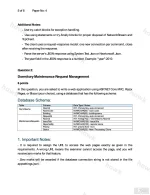
Dormitory Maintenance Request Management
6 points
In this question, you are asked to write a web application using ASP.NET Core MVC, Razor Pages, or Blazor (your choice), using a database that has the following schema:
Database Schema:
Table | Column | Data Type / Notes
DormRooms | RoomId | INT - Primary Key, auto-increment
DormRooms | RoomCode | VARCHAR(20) - room code
DormRooms | Building | VARCHAR(50) - building name
MaintenanceRequests | RequestId | INT - Primary Key, auto-increment
MaintenanceRequests | RoomId | INT - Foreign Key -> DormRooms.RoomId
MaintenanceRequests | IssueTitle | VARCHAR(150) - issue title
MaintenanceRequests | ReportedBy | VARCHAR(100) - reporter name
MaintenanceRequests | Priority | INT - priority from 1 to 5
MaintenanceRequests | Status | VARCHAR(20) - New / Processing / Done
1. Important Notes:
- It is required to assign the URL to access the web pages exactly as given in the requirements. A wrong URL means the examiner cannot access the page, and you will receive zero marks for that feature.
- Zero marks will be awarded if the database connection string is not stored in the file appsettings.json.
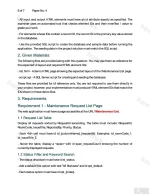
PRN222 SU26 PE RE NO4 Requirements
- All input and output HTML elements must have an id attribute exactly as specified. The examiner uses an automated tool that checks element IDs and their innerText / value to grade your work.
- For elements whose IDs contain a record ID, the record ID is the primary key value stored in the database.
- Use the provided SQL script to create the database and sample data before running the application. The seeding data in the project solution must match the SQL script.
2. Given Materials:
The following files are provided along with this question. You may use them as reference for the expected UI layout and required HTML element IDs:
- list.html - A demo HTML page showing the expected layout of the /Maintenance/List page.
- script.sql - A SQL Server script for creating and seeding the database.
These files are provided for UI reference only. You are not required to use them directly in your project; however, your implementation must produce HTML element IDs that match the IDs shown in these demo files.
3. Requirements
Requirement 1 - Maintenance Request List Page
The web application must have a page accessible at the URL /Maintenance/List.
1.1 Request List Table
Display all requests sorted by RequestId ascending. The table must include: RequestId, RoomCode, IssueTitle, ReportedBy, Priority, Status.
- Each <td> cell must have id td_{columnName}_{requestId}. Examples: td_roomCode_1, td_issueTitle_2.
- Above the table, display a <span> with id span_requestCount showing the number of currently displayed requests.
1.2 Status Filter and Keyword Search
- The status dropdown must have id sl_status.
- Add a default first option with text "All Statuses" and id opt_default.
- Each status option must have id opt_{index}.
- The keyword input must have id txt_keyword.
- The [Filter] button must have id btn_filter.
- The [Clear] button/link must have id btn_clear.
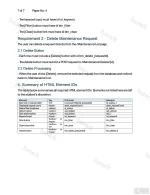
Requirement 2 - Delete Maintenance Request
The user can delete a request directly from the /Maintenance/List page.
2.1 Delete Button
- Each row must include a [Delete] button with id btn_delete_{requestId}.
- The delete button must submit a POST request to /Maintenance/Delete/{id}.
2.2 Delete Processing
- When the user clicks [Delete], remove the selected request from the database and redirect back to /Maintenance/List.
4. Summary of HTML Element IDs
The table below summarises all required HTML element IDs. Elements not listed here are left to the student's discretion.
Element | Tag | ID Format | Example
Each cell in request table | <td> | td_{columnName}_{requestId} | td_status_1
Displayed request count | <span> | span_requestCount | span_requestCount
Status filter dropdown | <select> | sl_status | sl_status
Default option | <option> | opt_default | opt_default
Each status option | <option> | opt_{index} | opt_1
Keyword input | <input> | txt_keyword | txt_keyword
Filter button | <button> or <input> | btn_filter | btn_filter
Clear button/link | <button> or <a> | btn_clear | btn_clear
Delete button | <button> or <input> | btn_delete_{requestId} | btn_delete_2
Đính kèm
-
 PRN222 SU26 PE RE NO4_001.webp213.1 KB · Lượt xem: 145
 -
 PRN222 SU26 PE RE NO4_002.webp163.7 KB · Lượt xem: 126
 -
 PRN222 SU26 PE RE NO4_003.webp174.7 KB · Lượt xem: 112
 -
 PRN222 SU26 PE RE NO4_004.webp192.5 KB · Lượt xem: 112
 -
 PRN222 SU26 PE RE NO4_005.webp177.4 KB · Lượt xem: 108
 -
 PRN222 SU26 PE RE NO4_006.webp225.9 KB · Lượt xem: 85
 -
 PRN222 SU26 PE RE NO4_007.webp151.3 KB · Lượt xem: 120
 -
PRN222_SU26_B1_PE_L2_No4_materials.zip307.1 KB · Lượt xem: 12
Sửa lần cuối:

